Out-of-sync subtitles can mean several different things. Captions may appear too early, too late, gradually drift away, or jump out of order after a missing scene. Because these causes are different, the best fix starts with diagnosis. A single timing shift helps a simple offset, but it will not solve a subtitle file made for the wrong cut of a video.
This guide gives you a practical workflow for checking the type of sync problem, choosing the right tool, and exporting a corrected subtitle file. It is written for common subtitle formats such as SRT, VTT, and ASS, and it links to related tools when a browser-based fix is enough.
The four common subtitle sync problems
The first type is a fixed offset: every caption is early or late by the same amount. The second is drift: captions get worse as the video continues. The third is a wrong release: the subtitle was built for another edit with added or missing scenes. The fourth is file damage: cue numbers, timestamps, or line breaks are malformed.
Once you know the type, the fix becomes clearer. Fixed offset uses the Subtitle Shifter. File damage may need the Subtitle Cleaner or Subtitle Editor. Wrong release problems often need a different subtitle source or section-by-section repair.
Step-by-step: fix subtitles out of sync
Do not try to solve every sync problem with one large number. A file that is three seconds late at the start and twenty seconds late near the end is not just delayed. It is mismatched. A careful test saves time and prevents a worse export.
- Play the video and note whether captions are early or late at the first clear dialogue line.
- Jump to the middle and end of the video and repeat the check.
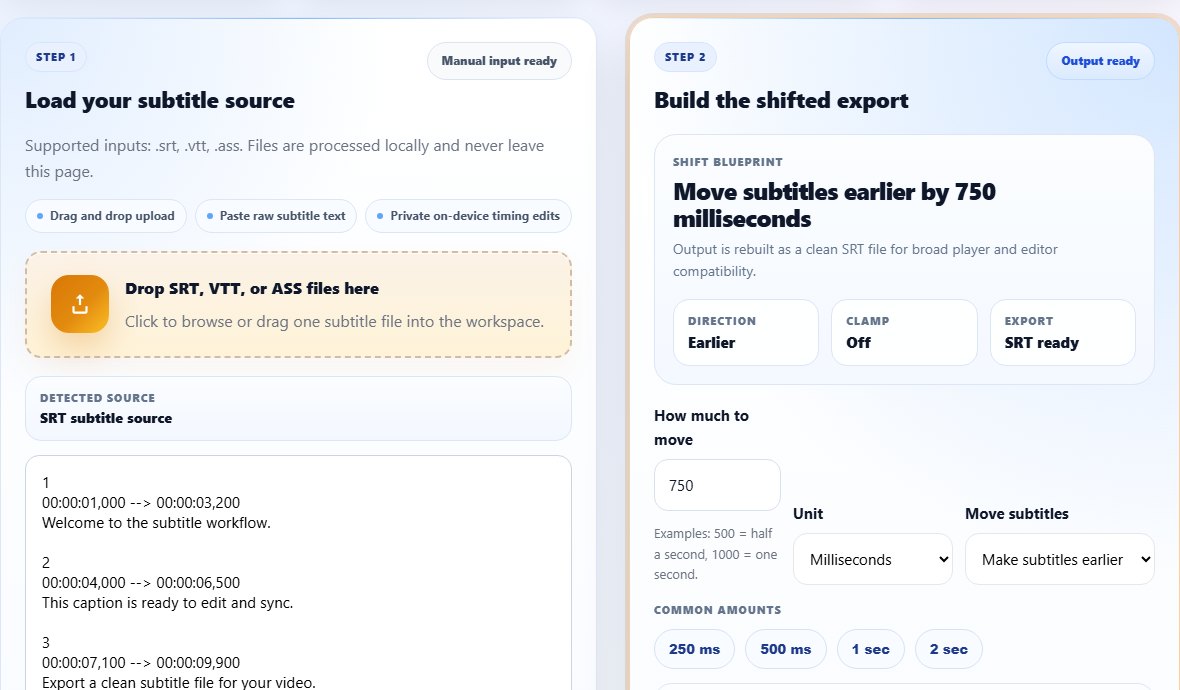
- If the timing error is consistent, shift the file earlier or later with the Subtitle Shifter.
- If the timing error grows, compare the subtitle duration against the video duration and look for missing scenes.
- If only one section breaks, edit that section in the Subtitle Editor.
- If the file has repeated captions or spacing problems, clean it before exporting.
- Download the corrected file and test it in the target player.
Tips for reliable subtitle sync
Use a short spoken line as your reference point. Long monologues are harder to judge because captions may intentionally appear slightly before or after a sentence. Short responses, names, and sound-linked dialogue are better markers.
Keep your original subtitle file until the new one has been tested. If you are trying several offsets, name each export clearly, such as movie-shift-500ms.srt or movie-earlier-2s.srt. This prevents confusion when you load files into VLC or another player.
When you cannot identify the exact offset, make two small test exports instead of one extreme export. For example, compare a 500 ms shift with a 1000 ms shift in the same scene. Listening to both versions back to back usually makes the better direction and amount obvious.
Document the sync pattern
Write down whether the subtitles are early, late, or drifting at each test point. That note tells you which repair path fits the file.
Common mistakes when fixing sync
- Testing only the opening scene and missing drift later in the video.
- Using subtitles for a different release group, cut, or episode.
- Forgetting that captions can be early, not only late.
- Converting formats after timing work and not checking the final file.
- Ignoring subtitle readability while focusing only on exact timing.
Related tools
Use these tools when you are ready to apply the workflow from this guide.
Related guides
FAQ
What is the fastest way to fix out-of-sync subtitles?
If the error is consistent, use the Subtitle Shifter and move the file earlier or later by the measured offset.
Why are subtitles correct at first but wrong later?
That is usually drift, a frame rate mismatch, or a subtitle file made for a different video cut.
Can I fix sync without installing software?
Yes. Browser tools can shift timing, edit cues, clean files, and convert formats without desktop software.
Should I fix timing before or after converting formats?
If the source format opens correctly, fix timing first and then convert. If the player cannot read the source format, convert to SRT first.